Anthelixa’s search
Find a document by what it says.
An invoice, a quote, an amendment, a delivery note: you know you received it, somewhere in years of emails and attachments. Ask your question in your own words: the search reads the meaning, and also finds the document that says it differently.
Today
The document is somewhere. You still have to find it.
The email, you end up finding. What is inside it, far less.
- You search for “amendment”, and the list never ends. The right email is titled “FW: Documents”.
- The information is in the middle of the attached PDF, or in a tab of the Excel spreadsheet.
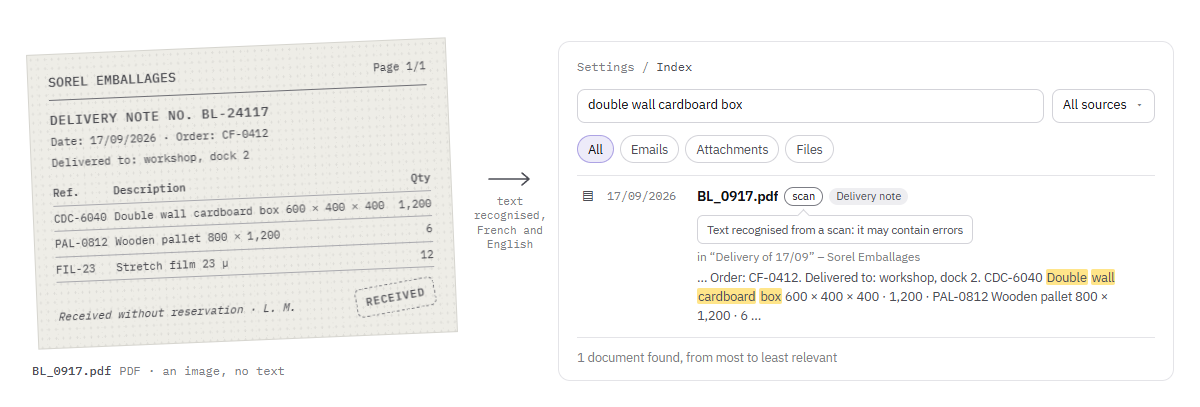
- The delivery note was scanned: an image, without a single word to search for.
- The person who received it is away, and the invoice is waiting.
What it reads
The inside of attachments
It searches the content of attachments, not just the subject of emails: PDF, Word, Excel, PowerPoint, and even your plans.
- Word
- Excel
- PowerPoint
- Plans
- Scans
Scans too
A scanned document is read too: its text is recognised, in French and in English, then it can be found like the others.
What it does not read yet
- ZIP archives, and what they contain.
- The old Word, Excel and PowerPoint formats, from before 2007 (.doc, .xls, .ppt).
- Outlook.com and Microsoft 365 mailboxes: today, the search connects to Gmail and to IMAP mailboxes.
What answers
The answer, not just the document
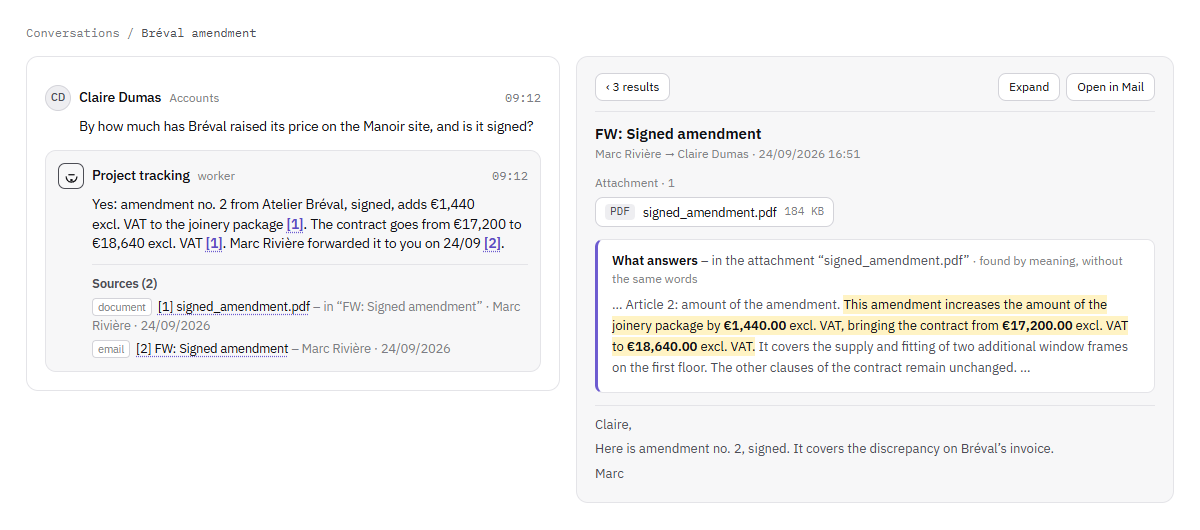
The passage that answers is shown under the document, the useful sentence highlighted, its figures in bold.
-
The sources, with every answer
When a worker answers you in a conversation, each piece of information carries a reference: one click opens the email or the document it comes from.
-
What is coming up
Ask a worker what is coming up: it finds the documents that mention an upcoming date, from the nearest to the furthest, attachments included.
Refine and classify
Filter, classify, correct
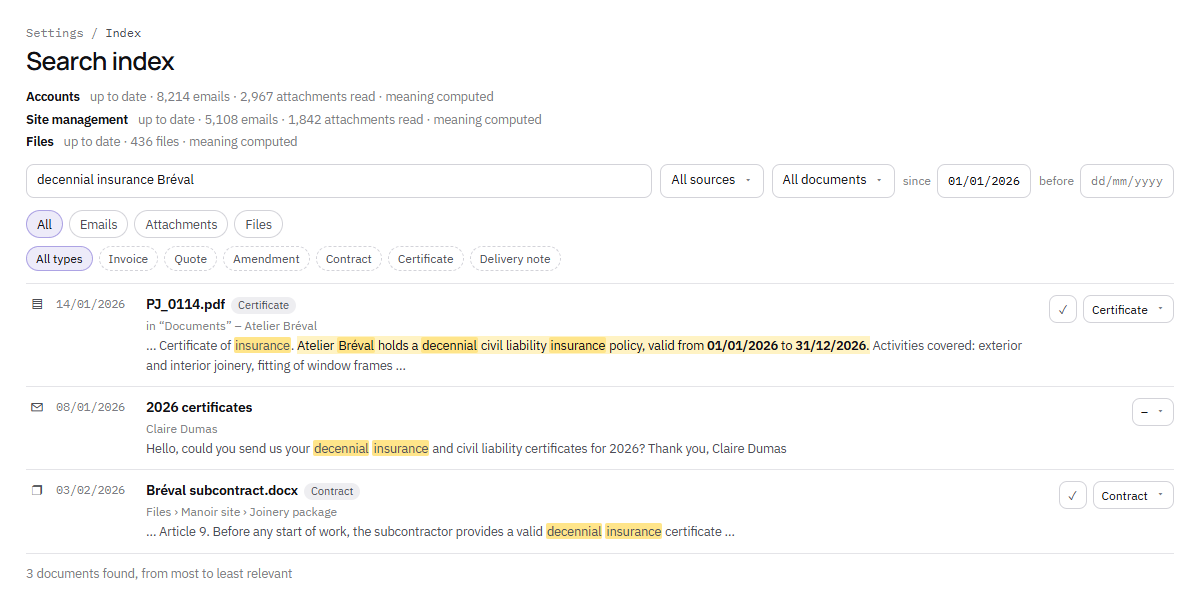
Refine by sender, by period, by file, or by what the document contains: an amount, a measurement, a date, a reference.
-
A type for each document
Each document takes a type from your list (invoice, quote, contract…); if it gets it wrong, you correct it with one click, and the correction stays.
-
One document, one line
The same document received several times appears only once, under the first time it was sent.
In the background, without you
Your mailbox, read without being touched
New emails enter the index as they arrive, without any action on your part.
-
Nothing moves
To index your mailbox, Anthelixa reads it without changing anything in it: no message moved, deleted or marked as read.
-
You set the starting point
On an IMAP mailbox, you choose how far back in time to go.
-
Each person’s rights
Each person finds only what they have the right to open: a restricted file or a private workspace does not come up in someone else’s search.
Where it runs
On our server, in France
Reading, scan recognition, search by meaning and classification run on our server, in France, with models installed on site: no document is sent to an outside AI service to be indexed.
And in your company?
Where do your documents sleep?
Tell us where your invoices, quotes and delivery notes arrive, and what you look for there most often. We will call you back to talk it over.